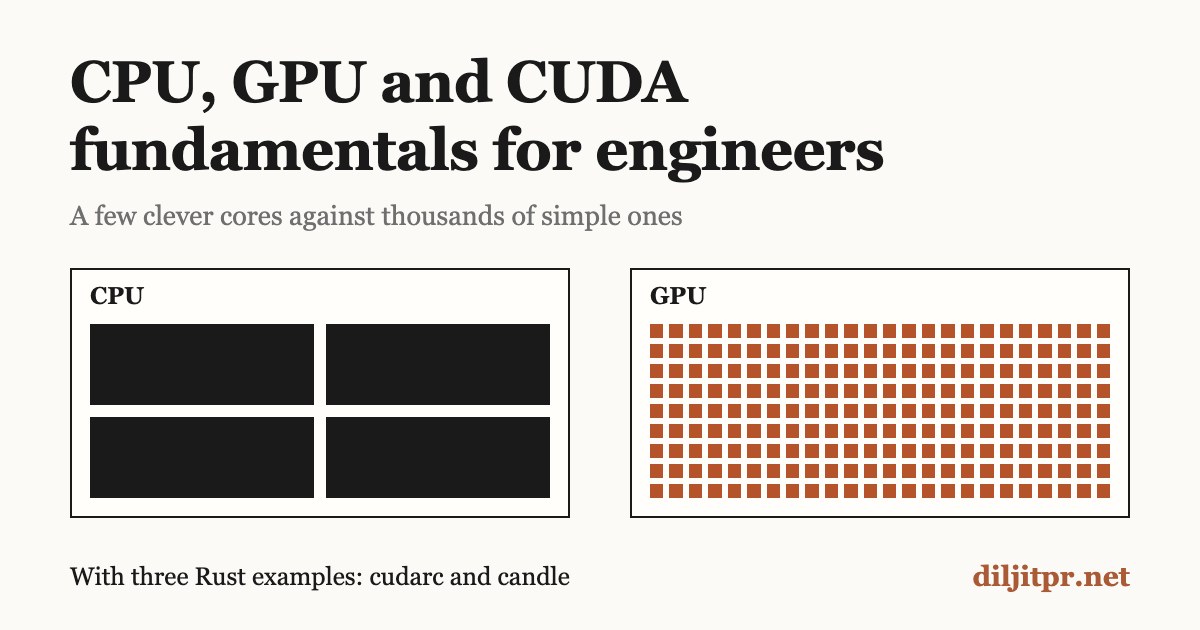
A CPU is a few fast, flexible cores; a GPU is thousands of simple ones that all do the same arithmetic at once. Running a model is mostly multiplying large tables of numbers, which is exactly the work a GPU is built for. CUDA is how you tell an NVIDIA GPU what to compute.
This is the background to my earlier post, which measured half of a small model's layers on a CPU and on a GPU. It starts with how the hardware works and ends with three Rust programs you can read line by line.
How a CPU works
A CPU (central processing unit) runs a program one small instruction at a time, very fast. Each instruction is tiny: add two numbers, copy a value, compare, jump to another instruction.
The loop every CPU runs
- Fetch: read the next instruction from memory.
- Decode: work out what it asks for (an add? a jump?).
- Execute: do it, using a handful of fast storage slots called registers.
- Write back: store the result, then move to the next instruction.
A clock drives this loop. A 4 GHz CPU ticks 4 billion times a second, and a modern core finishes several instructions per tick.
What makes a CPU core clever
A CPU core is built to make one stream of instructions finish as soon as possible, even when the code is full of decisions.
- Branch prediction: it guesses which way an
ifwill go and starts working before it knows. - Out-of-order execution: it reorders instructions so slow ones do not block fast ones.
- Caches: small, very fast memories on the chip that keep recently used data close.
All that cleverness takes chip area, so a CPU has few cores: 16 in a current high-end desktop chip, and up to 192 in a server chip.
Why caches matter so much
Main memory (RAM) is slow compared with the core. Fetching a value from RAM costs roughly 100 times more than fetching it from the nearest cache. So the CPU keeps layers of cache, each bigger and slower than the last.
| Storage | Typical size | Rough access time |
|---|---|---|
| Registers | a few hundred bytes | under 1 ns |
| L1 cache | tens of KB per core | about 1 ns |
| L2 cache | about 1 MB per core | a few ns |
| L3 cache | tens of MB, shared | about 10 ns |
| RAM | tens of GB | about 60 to 100 ns |
These are approximate and vary by chip. The lesson holds everywhere: code that walks memory in order is fast, and code that jumps around is slow.
SIMD: a small taste of parallelism
SIMD (single instruction, multiple data) lets one instruction work on several numbers at once. With 256-bit AVX2, one add instruction adds 8 pairs of 32-bit floats. With 512-bit AVX-512 it adds 16 pairs.
This is the same idea a GPU takes to the extreme: do one operation on many numbers together.
A CPU loop in Rust
This adds two arrays on the CPU. Keep it in mind: Example 1 below does the same job on a GPU.
fn add_arrays(a: &[f32], b: &[f32], out: &mut [f32]) {
    for i in 0..out.len() {
        out[i] = a[i] + b[i]; // one core walks the arrays, element by element
    }
}
The compiler usually turns this loop into SIMD instructions for you. It is still one core doing all the work.
How a GPU works
A GPU (graphics processing unit) is built for the opposite goal to a CPU: finish a huge amount of simple work per second, not one task as soon as possible.
GPUs were made to draw images. A screen has millions of pixels, and each pixel needs the same small calculation with different inputs. That is the pattern GPUs are good at: the same operation on a very large number of values.
Many simple cores
A GPU drops most of the per-core cleverness (branch prediction, reordering) and spends the chip area on arithmetic units instead. The result is thousands of simple cores.
- One GPU core is slower than one CPU core.
- All of them together do far more arithmetic per second.
- They work best when every core runs the same code on different data.
A kitchen analogy
A CPU is a few master chefs. Each can cook any dish, handle surprises, and switch tasks quickly. A GPU is a hall of thousands of line cooks who each know one step. Ask for one complicated dinner and the chefs win. Ask for a million identical sandwiches and the hall wins by a wide margin.
The GPU has its own memory
A GPU cannot read your program's normal memory directly. It has its own memory, called VRAM, sitting next to it on the card.
- Data must be copied from RAM to VRAM before the GPU can use it, and copied back to read the result.
- That copy travels over the PCIe link, which is slower than either memory.
- Whatever the GPU works on must fit in VRAM. This is why VRAM size decides which models a card can run.
How the work is organised
You do not program each GPU core by hand. You write one small function and ask the GPU to run it many times at once, each copy with a different index. The GPU's hardware groups those copies and schedules them across its cores. The CUDA section below gives these pieces their names.
When a GPU is the wrong tool
- Small jobs: copying data to the GPU and back costs more than the work saved.
- Branchy logic: code full of different decisions per item wastes the lockstep hardware.
- Step-by-step work: if each step needs the previous result, there is nothing to run side by side.
CPU vs GPU side by side
The drawing is schematic. A real desktop CPU has around 16 cores, and a high-end GPU has over 20,000.
| CPU | GPU | |
|---|---|---|
| Built to | Finish one task as soon as possible | Do the most arithmetic per second |
| Cores | Few and complex: 16 in a desktop Ryzen 9 9950X3D, 192 in a server EPYC 9965 | Thousands and simple: 21,760 in a GeForce RTX 5090 |
| Memory | RAM: tens to hundreds of GB | VRAM: 32 GB on the RTX 5090, 141 GB on a datacenter H200 |
| Memory speed | About 90 GB/s at best with two channels of DDR5-5600 | 4,800 GB/s on the H200 |
| Strong at | Decisions, varied tasks, running the operating system | The same math over huge arrays |
| Weak at | Huge arrays of identical math | Small jobs and code full of decisions |
The two are joined by a PCIe link. At best it moves about 32 GB/s (PCIe 4.0, 16 lanes) or 63 GB/s (PCIe 5.0), slower than either memory. So good GPU code copies data across once and keeps it there.
Memory speed matters as much as core count. The next section shows why it often decides how fast a model runs.
How a model runs its computations
A model is a very large set of numbers, called weights, plus a fixed recipe of arithmetic that combines them with your input. Running a model means doing that arithmetic, and almost all of it is matrix multiplication.
Tensors: numbers in a grid
- A vector is a list of numbers.
[1.0, 2.0, 3.0]has shape (3). - A matrix is a table of numbers. Three rows of two columns has shape (3, 2).
- A tensor is the general word for either, with any number of dimensions.
Text becomes tensors too. Each token (a word or piece of a word) is looked up in a table and replaced by a vector of a few thousand numbers.
One layer: multiply, add, squash
A layer takes a vector, multiplies it by a matrix of weights, adds a second set of weights called the bias, and applies a simple function called an activation. Example 3 below computes exactly this for 3 inputs and 2 outputs, with the arithmetic written out by hand. Real layers do the same thing with thousands of inputs and outputs.
Why this suits a GPU
Each number in the result of a matrix multiply can be computed without knowing any of the others. Multiplying two 4,096 by 4,096 matrices produces about 16.8 million results, and each is its own sum of 4,096 products. That is the GPU's ideal job: identical, independent arithmetic, in huge quantity.
One forward pass of a language model
- Tokens in. The text is split into tokens, and each token is replaced by its vector.
- Layers. The vectors pass through a stack of layers, often dozens. Each layer mixes information between tokens (attention) and then transforms each token (a small network). Both parts are mostly matrix multiplies.
- Scores out. The last layer's output becomes one score for every token the model knows.
- Pick. One token is chosen from those scores.
- Repeat. The chosen token is added to the text and the pass runs again.
A 500-token answer is 500 passes. Models save work between passes with a cache of earlier results. My post on CPU, CUDA and running a language model picks up from there, with measurements.
Where the memory goes
The weights must sit in memory, in VRAM if a GPU runs the model. The size is the number of weights times the bytes used for each. Storing weights in fewer bits is called quantization.
| Format | Bytes per weight | A 7-billion-weight model needs |
|---|---|---|
| 32-bit float | 4 | about 28 GB |
| 16-bit float | 2 | about 14 GB |
| 8-bit | 1 | about 7 GB |
| 4-bit | about 0.5 to 0.6 | about 4 GB |
The 4 and 2 bytes rule is from Hugging Face's guide. The 7-billion column is arithmetic from it, and real files run a little larger.
Where the time goes
To produce one token, the model reads nearly every weight once. So when a model writes text, the limit is often how fast memory can deliver the weights, not how fast the cores can multiply. That delivery rate is called memory bandwidth.
tokens per second ≤ memory bandwidth ÷ model size
For a 14 GB model, desktop RAM at about 90 GB/s allows at most about 6 tokens per second. An H200's VRAM at 4,800 GB/s allows a ceiling near 340. These are upper bounds worked out from the formula, and real speeds are lower.
This is a large part of why GPUs generate text faster. An NVIDIA Research study of the limits reaches the same conclusion: "LLM serving will be memory bandwidth constrained." Reading a long prompt is different: all its tokens are processed together, so that phase is limited by compute.
CUDA: the ideas you need
CUDA is NVIDIA's system for running your own code on its GPUs. You write a small function, and CUDA runs thousands of copies of it at once, one per piece of data.
The vocabulary
| Term | Meaning |
|---|---|
| Host | The CPU and its memory (RAM). Your Rust program lives here. |
| Device | The GPU and its memory (VRAM). |
| Kernel | A function that runs on the GPU, as many copies at once. |
| Thread | One running copy of the kernel. It handles one piece of the data. |
| Block | A group of threads, at most 1,024. Threads in a block can share fast memory. |
| Grid | All the blocks of one launch. |
| Warp | 32 threads that the hardware runs in lockstep. You rarely handle warps yourself. |
| Stream | A queue of GPU work that runs in order. |
How a thread knows which data is its own
Every thread runs the same code, so each one needs a way to pick a different element. CUDA gives every thread three built-in values:
threadIdx: the thread's position inside its block.blockIdx: the block's position inside the grid.blockDim: how many threads each block has.
From these, a thread works out its own global index:
size_t i = blockIdx.x * blockDim.x + threadIdx.x;A worked case: blocks hold 256 threads. Thread 5 of block 3 gets i = 3 * 256 + 5 = 773, so it handles element 773. No two threads get the same i.
The drawing shows a small case: 4 blocks of 8 threads launched for 30 elements. Each box is one thread, and the last two have no element to handle.
Why kernels start with a bounds check
Threads come in whole blocks. For 1,000 elements with 256 threads per block you need 4 blocks, which is 1,024 threads. The last 24 threads have no element. The line if (i < n) makes them do nothing instead of writing past the end of the array.
The five steps of every CUDA program
- Allocate memory on the device.
- Copy the inputs from host to device.
- Launch the kernel over a grid of threads.
- Wait for the GPU to finish.
- Copy the results from device back to host.
A launch does not wait: the call returns as soon as the work is queued, and the GPU runs it in the background. The copy back in step 5 is what waits for the answer. This matters when you time GPU code, as covered under common mistakes below.
CUDA from Rust: which crate to pick
Start with cudarc to learn how CUDA works, and use candle when you want to run a model. The table shows where each option stood on 4 October 2026.
| Option | What you write | Rust toolchain | Status |
|---|---|---|---|
| cudarc 0.19.10 | Host code in Rust; kernels as CUDA C++ text compiled at run time | Stable | Actively released. Wraps the CUDA driver, cuBLAS, cuDNN and more. |
| candle 0.11.0 | Tensor operations in Rust; no kernels | Stable | Hugging Face's ML framework. Its CUDA backend is built on cudarc. |
| cuda-oxide (NVIDIA CUDA Rust) | Kernels in Rust, one thread at a time, like CUDA C++ | Pinned nightly | Early alpha, Linux only. Announced 8 September 2026. |
| cutile 0.4.0 (NVIDIA CUDA Rust) | Kernels in Rust that work on whole tiles of data | Stable 1.89+ | Published on crates.io, Linux only. |
Rust-CUDA (cust) | Kernels in Rust through a custom compiler backend | Pinned nightly | Community project. Last crates.io release is from February 2022, so it is used from git. |
Why this post uses cudarc for the examples
- It builds on stable Rust with one dependency line.
- The kernel is ordinary CUDA C++, so every CUDA tutorial and the official NVIDIA guide apply directly.
- You see each step yourself: copy in, launch, copy out. Higher-level libraries hide exactly the part a beginner needs to see.
What you need to run the examples
- An NVIDIA GPU with a current driver, on Linux or Windows. Macs have no CUDA.
- The CUDA toolkit installed.
cudarcloads its libraries when the program starts, and uses its NVRTC compiler to build the kernel text. - This in
Cargo.toml, with the feature matching your toolkit version (cuda-12080means CUDA 12.8):
[dependencies]
cudarc = { version = "0.19.10", features = ["cuda-12080"] }
How far these examples were tested
The examples below were written on a Mac, which cannot run CUDA. Both cudarc programs compile against cudarc 0.19.10, and both kernels give correct results when replayed thread by thread on a CPU. They have not been run on an NVIDIA GPU yet. The candle example was run for real and its output is shown.
Example 1: add two arrays on the GPU
This program adds one million pairs of numbers, one GPU thread per pair. It is the GPU version of the CPU loop shown earlier, and it follows the five steps exactly.
use cudarc::driver::{CudaContext, LaunchConfig, PushKernelArg};
use cudarc::nvrtc::compile_ptx;

// The kernel: CUDA C++ source, compiled for the GPU when the program runs.
// Every GPU thread runs this same function, each with a different index `i`.
const KERNEL_SRC: &str = r#"
extern "C" __global__ void add_arrays(float *out, const float *a, const float *b, size_t n) {
    size_t i = blockIdx.x * blockDim.x + threadIdx.x; // which element is mine?
    if (i < n) {                                      // the last block may have spare threads
        out[i] = a[i] + b[i];
    }
}
"#;

fn main() -> Result<(), Box<dyn std::error::Error>> {
    // 1. Make the input on the CPU side (the "host").
    let n: usize = 1_000_000;
    let a_host: Vec<f32> = (0..n).map(|i| i as f32).collect();
    let b_host: Vec<f32> = (0..n).map(|i| 2.0 * i as f32).collect();

    // 2. Connect to GPU number 0 and get a stream (a queue of GPU work).
    let ctx = CudaContext::new(0)?;
    let stream = ctx.default_stream();

    // 3. Compile the kernel and load it onto the GPU.
    let ptx = compile_ptx(KERNEL_SRC)?;
    let module = ctx.load_module(ptx)?;
    let add_arrays = module.load_function("add_arrays")?;

    // 4. Copy the inputs from host memory to GPU memory (the "device").
    let a_dev = stream.clone_htod(&a_host)?;
    let b_dev = stream.clone_htod(&b_host)?;
    let mut out_dev = stream.alloc_zeros::<f32>(n)?;

    // 5. Launch: enough blocks of threads to cover all n elements.
    let mut launch = stream.launch_builder(&add_arrays);
    launch.arg(&mut out_dev);
    launch.arg(&a_dev);
    launch.arg(&b_dev);
    launch.arg(&n);
    unsafe { launch.launch(LaunchConfig::for_num_elems(n as u32)) }?;

    // 6. Copy the result back to the host and check it.
    let out_host: Vec<f32> = stream.clone_dtoh(&out_dev)?;
    for i in 0..n {
        assert_eq!(out_host[i], a_host[i] + b_host[i]);
    }
    println!("ok: added {n} pairs, out[10] = {}", out_host[10]);
    Ok(())
}
Expected output: ok: added 1000000 pairs, out[10] = 30 (element 10 is 10 + 20).
Reading it piece by piece
The kernel. The text inside KERNEL_SRC is CUDA C++, not Rust. __global__ marks a function as a kernel. extern "C" keeps its name plain, so Rust can find it by the string "add_arrays". The body has no loop: the loop is replaced by a million threads, each doing one addition.
Step 2, context and stream. The context is your program's connection to one GPU. The stream is a queue: work you put on it runs in the order you added it.
Step 3, compile. compile_ptx turns the kernel text into PTX, the GPU's assembly language. This happens while your program runs, which is why the CUDA toolkit must be installed.
Step 4, copy in. clone_htod means "host to device". a_host lives in RAM and a_dev lives in VRAM. They are separate copies, and the kernel can only see the device ones.
Step 5, launch. The arguments must be added in the same order as the kernel's parameters. LaunchConfig::for_num_elems picks 1,024 threads per block and enough blocks to cover n. For one million elements that is 977 blocks, or 1,000,448 threads, so 448 spare threads hit the if (i < n) check and do nothing.
Why unsafe. Rust cannot check the kernel text against your arguments. If you pass them in the wrong order, or pass too few, the GPU reads the wrong memory. The unsafe keyword is you taking responsibility for that match.
Step 6, copy back. clone_dtoh means "device to host". It is queued on the same stream as the launch, so it runs after the kernel finishes and returns once the numbers are in the Vec.
Would this beat the CPU?
Probably not. Adding a million numbers took one CPU core 0.16 ms when measured on an Apple M5 Pro, and here the data must also cross to the GPU and back. This example teaches the mechanics. The GPU pays off when there is far more arithmetic per byte copied, as in the next example.
Example 2: matrix multiply
Matrix multiply is the operation a model spends most of its time in, and it fits the GPU well: every cell of the answer can be computed independently. Here one GPU thread computes one cell.
To get the cell at row r, column c of the result, take row r of A and column c of B, multiply them pair by pair, and add the products.
use cudarc::driver::{CudaContext, LaunchConfig, PushKernelArg};
use cudarc::nvrtc::compile_ptx;

// One GPU thread computes one cell of the result: C[row][col].
// Matrices are stored flat, row after row, so cell (r, c) lives at index r * n + c.
const KERNEL_SRC: &str = r#"
extern "C" __global__ void matmul(float *c, const float *a, const float *b, int n) {
    int row = blockIdx.y * blockDim.y + threadIdx.y;
    int col = blockIdx.x * blockDim.x + threadIdx.x;
    if (row < n && col < n) {
        float sum = 0.0f;
        for (int k = 0; k < n; k++) {
            sum += a[row * n + k] * b[k * n + col]; // row of A times column of B
        }
        c[row * n + col] = sum;
    }
}
"#;

// The same math on one CPU core, used to check the GPU's answer.
fn matmul_cpu(a: &[f32], b: &[f32], n: usize) -> Vec<f32> {
    let mut c = vec![0.0f32; n * n];
    for row in 0..n {
        for col in 0..n {
            let mut sum = 0.0f32;
            for k in 0..n {
                sum += a[row * n + k] * b[k * n + col];
            }
            c[row * n + col] = sum;
        }
    }
    c
}

fn main() -> Result<(), Box<dyn std::error::Error>> {
    let n: usize = 512;
    let a_host: Vec<f32> = (0..n * n).map(|i| (i % 7) as f32).collect();
    let b_host: Vec<f32> = (0..n * n).map(|i| (i % 5) as f32).collect();

    let ctx = CudaContext::new(0)?;
    let stream = ctx.default_stream();
    let module = ctx.load_module(compile_ptx(KERNEL_SRC)?)?;
    let matmul = module.load_function("matmul")?;

    let a_dev = stream.clone_htod(&a_host)?;
    let b_dev = stream.clone_htod(&b_host)?;
    let mut c_dev = stream.alloc_zeros::<f32>(n * n)?;

    // A 2D grid: blocks of 16 x 16 threads, and enough blocks to cover n x n cells.
    let block: u32 = 16;
    let blocks_per_side = (n as u32).div_ceil(block);
    let config = LaunchConfig {
        grid_dim: (blocks_per_side, blocks_per_side, 1),
        block_dim: (block, block, 1),
        shared_mem_bytes: 0,
    };

    let n_arg = n as i32;
    let mut launch = stream.launch_builder(&matmul);
    launch.arg(&mut c_dev);
    launch.arg(&a_dev);
    launch.arg(&b_dev);
    launch.arg(&n_arg);
    unsafe { launch.launch(config) }?;

    let c_host: Vec<f32> = stream.clone_dtoh(&c_dev)?;
    assert_eq!(c_host, matmul_cpu(&a_host, &b_host, n));
    println!("ok: {n} x {n} matrix multiply matches the CPU result");
    Ok(())
}
What is new compared with Example 1
A 2D grid. Blocks and grids can have up to three dimensions. Here each block is 16 by 16 threads (256 in all), and the grid is 32 by 32 blocks. That gives 512 by 512 threads, one per cell of the result.
Two indices per thread. The .x values give the thread's column and the .y values give its row. It is the same formula as before, used once per dimension.
Flat storage. GPU memory holds a plain run of numbers, not a table. A matrix is stored row after row, so the cell at row r, column c is at position r * n + c.
A loop inside the kernel. Each thread runs a short loop of n multiply-adds. The CPU version has three nested loops. The GPU version keeps only the innermost: the outer two became the grid of threads.
Matching argument types. The kernel declares int n, which is 32 bits. So the Rust side passes an i32, not a usize. Sizes must match exactly.
Why this one suits the GPU
The inputs are 2 × 512 × 512 numbers, about 2 MB to copy. The work is 512³, about 134 million multiply-adds. Lots of arithmetic for little copying is the pattern where a GPU wins.
Do not ship this kernel
This version is written to be read. Real code calls a tuned library instead: cuBLAS is NVIDIA's library of matrix routines, and its gemm function does this job far faster by using shared memory, careful memory access order and special hardware. cudarc wraps it, and candle calls it for you, which is the next example.
Example 3: one model layer with candle
Real model code does not write kernels. It uses a tensor library that already has tuned kernels for every common operation, and you describe the math. This example computes one layer of a neural network with candle, the library my project Sangama uses.
[dependencies]
candle-core = "0.11.0"

[features]
cuda = ["candle-core/cuda"]
use candle_core::{Device, Result, Tensor};
fn main() -> Result<()> {
// Use the GPU when this build has CUDA and a GPU is present; otherwise the CPU.
let device = Device::cuda_if_available(0)?;
// One input row with 3 numbers, and a layer that turns 3 numbers into 2.
let x = Tensor::new(&[[1.0f32, 2.0, 3.0]], &device)?; // shape (1, 3)
let w = Tensor::new(&[[0.5f32, -1.0], [0.25, 0.0], [-0.5, 2.0]], &device)?; // shape (3, 2)
let bias = Tensor::new(&[0.1f32, -0.1], &device)?; // shape (2)
// A layer is: multiply by the weights, add the bias, apply an activation.
let y = x.matmul(&w)?.broadcast_add(&bias)?.relu()?;
// Bring the result back to host memory to print it.
println!("y = {:?}", y.to_vec2::<f32>()?);
Ok(())
}Output from running it: y = [[0.0, 4.9]]
Checking the answer by hand
| Step | First output | Second output |
|---|---|---|
| Multiply by weights | 1×0.5 + 2×0.25 + 3×(−0.5) = −0.5 | 1×(−1) + 2×0 + 3×2 = 5 |
| Add bias | −0.5 + 0.1 = −0.4 | 5 − 0.1 = 4.9 |
| ReLU (negative becomes 0) | 0 | 4.9 |
How this maps to what you just learned
| In candle | What happens underneath on a GPU |
|---|---|
Device::cuda_if_available(0) | Creates the context for GPU 0 (Example 1, step 2). |
Tensor::new(..., &device) | Allocates VRAM and copies the numbers host to device (step 4). |
matmul | Launches a tuned matrix multiply kernel from cuBLAS (Example 2, done properly). |
broadcast_add, relu | Launch small kernels with one thread per element (Example 1's pattern). |
to_vec2 | Copies the result device to host (step 6). |
Run it with cargo run to use the CPU, or cargo run --features cuda on a machine with an NVIDIA GPU. The code does not change. Only the device does.
A full language model is this same pattern repeated: thousands of matrix multiplies, additions and activations over much larger tensors.
Common beginner mistakes
| Mistake | What goes wrong | Fix |
|---|---|---|
| Timing only the launch call | The launch returns before the GPU has done the work, so the time looks near zero. | Call stream.synchronize() before stopping the clock. |
| Timing the first run | The first run includes compiling the kernel and waking the GPU. | Run once to warm up, then time later runs. |
| Forgetting the bounds check | Spare threads write past the end of the array and corrupt other data. | Start the kernel with if (i < n). |
| Copying data back and forth | Each copy crosses the slow PCIe link, and the copies cost more than the math. | Copy in once, do all the steps on the GPU, copy out once. |
| Using the GPU for small jobs | Launch and copy overhead outweighs the work saved. | Keep small work on the CPU. Measure before moving it. |
| Mismatched argument types | A Rust usize passed to a kernel int can make the kernel read garbage. | Match each Rust argument to the kernel parameter's exact size. |
| Running out of VRAM | The allocation fails. A GPU has no swap space to fall back on. | Use smaller batches, or store the weights in fewer bits. |
| Expecting identical decimals | CPU and GPU may round long sums differently, so results differ in the last digits. | Compare floats with a small tolerance, not ==. |
The last row has one exception worth knowing. Examples 1 and 2 above compare with exact equality on purpose: their inputs are small whole numbers, which floats add and multiply without any rounding.
Timing GPU code honestly
use std::time::Instant;

let start = Instant::now();
unsafe { launch.launch(config) }?;
stream.synchronize()?; // wait until the GPU has really finished
println!("kernel took {:?}", start.elapsed());
Decide what you are measuring. Kernel time alone tells you how fast the math is. Time including both copies tells you whether moving the job to the GPU was worth it.
Glossary
| Term | Plain meaning |
|---|---|
| Activation | A simple function applied to each number after a layer's multiply and add. ReLU turns negatives into 0. |
| Bandwidth (memory) | How many bytes per second a memory can deliver. |
| Block | A group of up to 1,024 GPU threads. |
| Cache | Small, fast memory on the chip that keeps recent data close to the cores. |
| Context | Your program's connection to one GPU. |
| Core | One unit that executes instructions. |
| cuBLAS | NVIDIA's library of tuned matrix routines for the GPU. |
| CUDA | NVIDIA's system for running your own code on its GPUs. |
| Device | The GPU and its memory. |
| Forward pass | One run of an input through all of a model's layers. |
| Grid | All the blocks of one kernel launch. |
| Host | The CPU and its memory. |
| Kernel | A function that runs on the GPU as many threads at once. |
| PTX | The GPU's assembly language, produced by compiling a kernel. |
| Quantization | Storing weights in fewer bits to save memory. |
| SIMD | One CPU instruction working on several numbers at once. |
| Stream | A queue of GPU work that runs in order. |
| Tensor | Numbers arranged in a grid of any number of dimensions. |
| Thread (GPU) | One running copy of a kernel. |
| Token | A word or piece of a word, as a model sees text. |
| VRAM | The GPU's own memory. |
| Warp | 32 GPU threads that execute in lockstep. |
| Weights | The numbers a model learned in training. |
Sources and further reading
All pages were opened on 4 October 2026. Hardware figures are single examples, not surveys, and change with each chip generation.
CUDA, from NVIDIA
- CUDA Programming Guide: programming model: kernels, threads, blocks, grids, warps, host and device.
- CUDA Programming Guide: intro to CUDA C++: the 1,024 threads per block limit. The best next read after this post.
- CUDA Programming Guide: limits table: block and grid size limits, warp size.
- cuBLAS: the tuned matrix library.
Rust crates
- cudarc on docs.rs: the API used in Examples 1 and 2.
- candle: the tensor library in Example 3.
- Introducing CUDA Rust: NVIDIA's announcement of cuda-oxide and cutile.
- NVIDIA/cuda-rust: the cuda-oxide repository and its alpha status.
- Rust-CUDA getting started: the community project's requirements.
Hardware figures
- AMD Ryzen 9 9950X3D and AMD EPYC 9965: core counts.
- GeForce RTX 5090 and NVIDIA H200: core count, VRAM, memory bandwidth.
- DDR5 SDRAM and PCI Express: theoretical peak transfer rates. The 90 GB/s figure is two channels at 44.8 GB/s.
- Latency numbers every programmer should know and measured Skylake latencies: cache and RAM access times. Both are old, so the table uses them as orders of magnitude.
Models
- Hugging Face: optimizing LLMs for speed and memory: memory needed per weight.
- NVIDIA Research limit study, arXiv 2507.14397: memory bandwidth as the limit on LLM serving.
Comments
Have thoughts on this post? Join the discussion below! Comments are powered by Disqus.