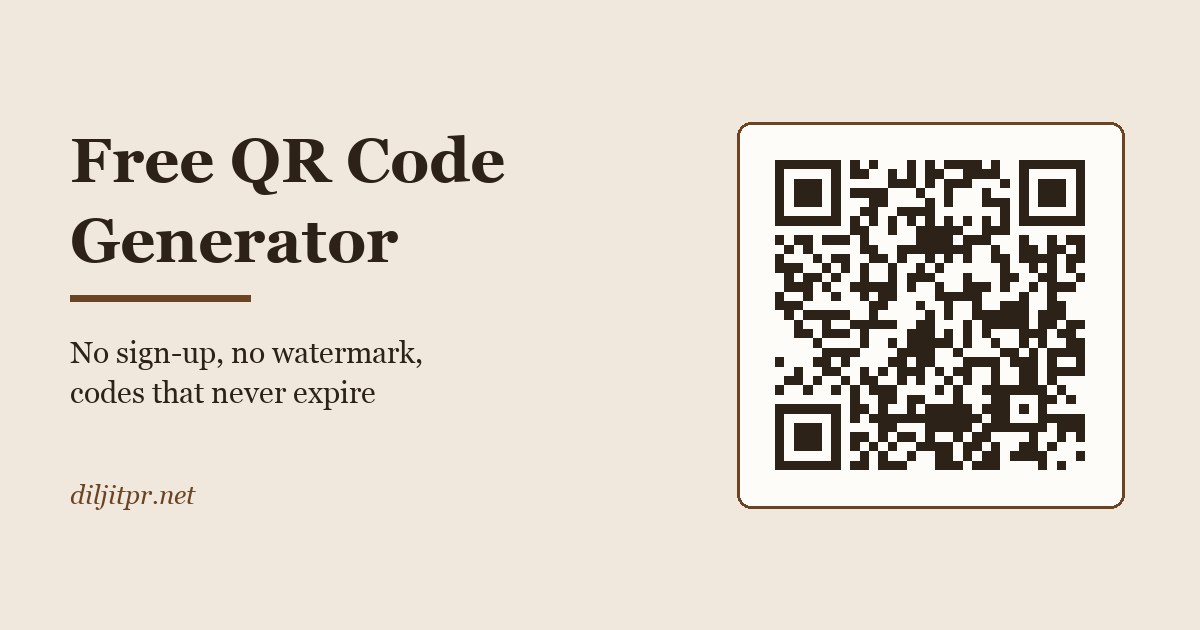
If you need a QR code right now, use the free QR code generator I built. It makes QR codes for a website link, plain text, a Wi-Fi network, an email, a phone number or an SMS. There is no sign-up and no watermark, and the codes are static, so they never expire. The preview updates as you type, and the code is built in your browser, so what you enter, Wi-Fi passwords included, is not sent to a server.
Free QR Code Generator: URL, text, Wi-Fi, email, phone and SMS. Custom colours, four error-correction levels, PNG and SVG.
Create a QR code free →How to create a QR code for free
- Pick a type. Choose URL, Text, Wi-Fi, Email, Phone or SMS from the tabs at the top.
- Add your content. Type or paste it. The preview redraws as you type. If you leave
https://off a link, the generator adds it. - Style it. Under Design and quality, set the code colour, background, error correction, PNG size and quiet zone. The defaults (dark navy on white, Medium correction, 1024 px, standard margin) suit most uses.
- Download and test. Click Download PNG or Download SVG, then scan it with your phone camera before you print anything.
How downloads work: the preview is drawn in your browser. The download buttons open qrjiffy.com, a free generator, on the page for the type you picked, and you save the PNG or SVG file there.
What you can put in a QR code
Each tab writes your content in the format phone cameras already understand, so the scan does the right thing: it opens a page, joins a network or starts a message.
| Type | What you enter | What happens when someone scans it |
|---|---|---|
| URL | A website link | Opens the page in the browser |
| Text | Any message, code or note | Shows the text |
| Wi-Fi | Network name, security type, password, hidden or not | Offers to join the network |
| Address, subject, message | Opens a pre-filled email | |
| Phone | A number with country code | Offers to call it |
| SMS | A number and a message | Opens a pre-filled text message |
Wi-Fi QR codes
A Wi-Fi QR code lets guests join your network by pointing their camera at it, with no password to read out or type. It is the most useful static code for homes, cafés, offices and rentals. In the Wi-Fi tab:
- Network name (SSID): type it exactly as it appears in your phone's Wi-Fi list. Capitals and spaces matter.
- Security: pick WPA / WPA2 / WPA3 for nearly every modern router, WEP only for very old ones, or None for an open network.
- Password: special characters such as
;,,and:are escaped for you, so passwords with symbols still work. - Hidden network: tick it if your router does not broadcast its name.
Because the password sits inside the code, anyone who can see the code can join. Put it where only guests can see it, and make a new code if you change the password.
Colours, error correction and quiet zone
Colours. You can pick any code and background colour, but scanners read dark modules on a light background best. The generator warns you if the contrast is low, or if you have set a light code on a dark background, which some phones will not read.
Error correction is how much of the code can be damaged or covered and still scan. More correction makes the code denser.
- Low (7%): keeps long content, such as a long URL, as small and simple as possible.
- Medium (15%): the default, right for screens, flyers and most print.
- Quartile (25%): for codes that will get scuffed, such as stickers and packaging.
- High (30%): for codes printed outdoors, on curved surfaces, or with a logo placed on top.
Quiet zone is the empty margin around the code. Scanners use it to find the edges, so don't crop it off and don't let other artwork run into it. Standard is the safe choice.
Under the preview the generator shows the QR version, module count and byte size. If you add more content than a single QR code can hold, it says so; shorten the content or switch to Low correction.
PNG or SVG?
- PNG works everywhere: documents, slides, websites, social posts. Pick 1024 or 2048 px if you might print it.
- SVG is a vector file that stays sharp at any size. Use it for posters, menus, signage, packaging and business cards, and anything going to a designer or printer.
Why these QR codes never expire
This is a static QR code generator. A static code stores your content (the link, the Wi-Fi details, the text) in the pattern itself. Nothing sits between the scan and the result, so there is no server that can shut down, no subscription that can lapse, and no scan limit. The code works for as long as the thing it points to exists.
The "free" QR codes that stop working are usually dynamic codes. A dynamic code stores a short redirect link on the provider's server. That lets you change the destination after printing and count scans, but the code dies when the free trial or plan ends. If a "free" generator asks you to sign up before you can download, check which kind you are getting.
Static codes have two limits: you can't edit them after printing, and you can't track scans. If you need either, you want a dynamic code. I compared eight tools for that, free and paid, in Best QR Code Generators 2027. I also wrote about using a dynamic code as a customer engagement layer rather than a plain redirect.
Printing a QR code that scans
- Size: at least 2 × 2 cm (about 0.8 inch) for something scanned up close, like a business card or a table tent. For signs, make the code about one tenth of the distance people will scan from.
- Contrast: dark code, light background. Avoid gradients and busy photos behind it.
- Margin: keep the quiet zone clear on all four sides.
- Short content: shorter links make simpler codes that scan from further away.
- Test first: scan the final file with both an iPhone and an Android phone before you send a print run.
- Add a label: a line like "Scan for the menu" or "Scan to join Wi-Fi" tells people what they get, and more of them will scan.
Common questions
Is this QR code generator really free?
Yes. There is no account, no trial, no watermark and no limit on how many codes you make.
Can I create a QR code without signing up?
Yes. Open the generator, type your content and download. Nothing asks for an email address.
Do free QR codes expire?
Static ones like these don't, because the content lives in the code itself. Free dynamic codes from other tools often stop working when a trial or plan ends.
Is my data private?
The code is generated in your browser, and what you type is not sent to a server. When you click a download button you go to qrjiffy.com to save the file.
Can I use the QR codes commercially?
Yes. Put them on menus, packaging, flyers, business cards or anything else.
Can I track scans or change the link later?
Not with a static code. For editable, trackable codes, use a dynamic QR code generator; see my comparison of the best QR code generators for options and prices.
Ready? Make a free QR code for your link, Wi-Fi, text, email, phone or SMS. It takes a few seconds.
Open the free QR code generator →
Comments
Have thoughts on this post? Join the discussion below! Comments are powered by Disqus.