I've been running a small home lab for a little over three years now. What began as a weekend experiment slowly turned into something I depend on daily. At some point, it stopped feeling like "infrastructure" and started feeling like a basic home utility—always on, quietly doing its job.
I've been meaning to write about this setup for a while, mainly because I'm often asked whether running servers at home is worth the effort. This post is a look at what I'm running today, how it's set up, and what it actually takes to keep it running.
The Hardware
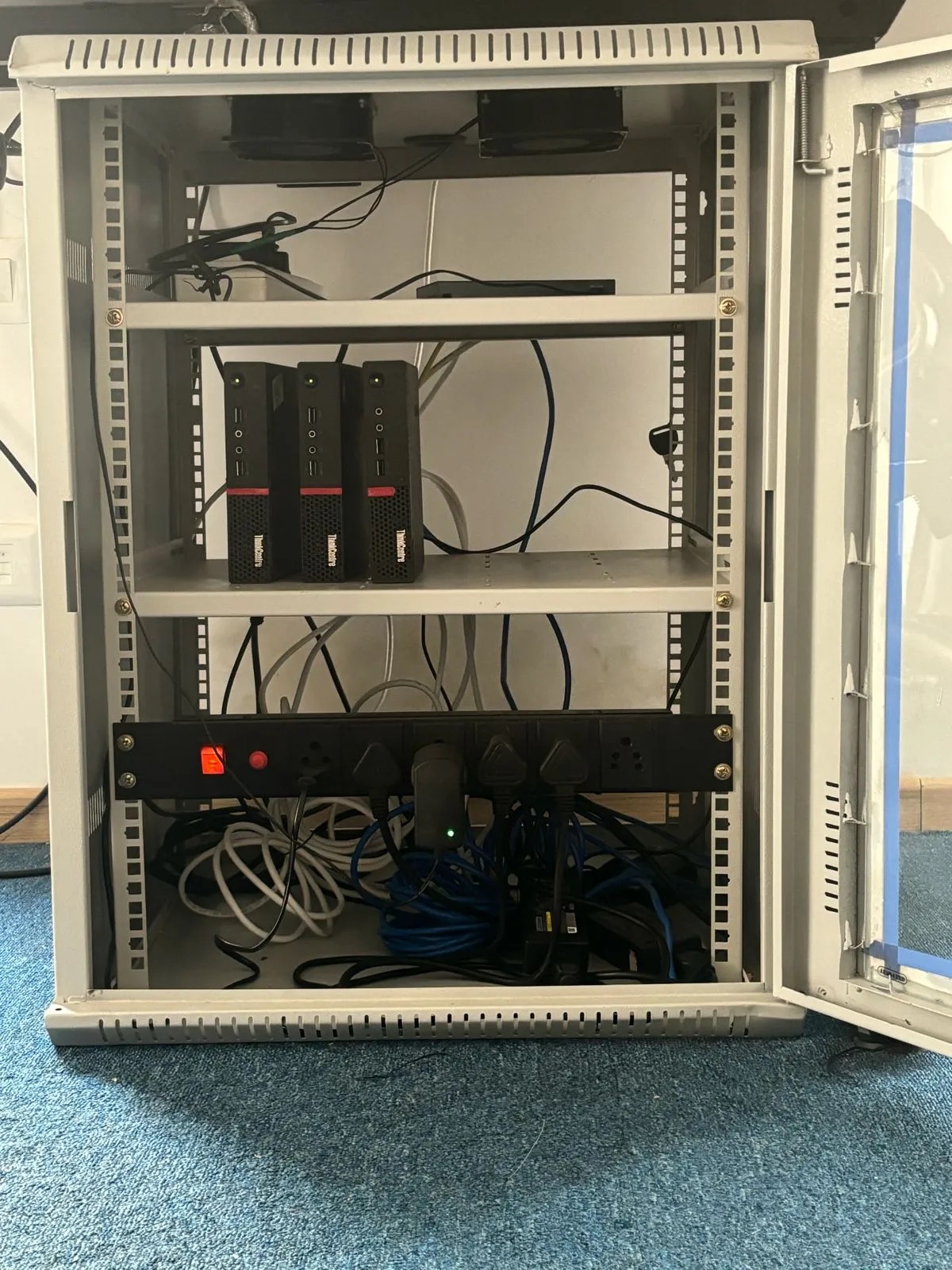
The cluster runs on three refurbished Lenovo ThinkCentre machines from the M9xx and M7xx series. These boxes are easy to find, inexpensive, and surprisingly robust. Each machine runs an Intel i5-6500TE with four cores, paired with 64 GB of DDR4 RAM. Storage is split between a 1 TB SATA SSD and a 1 TB NVMe drive, which gives a good balance between capacity and speed.
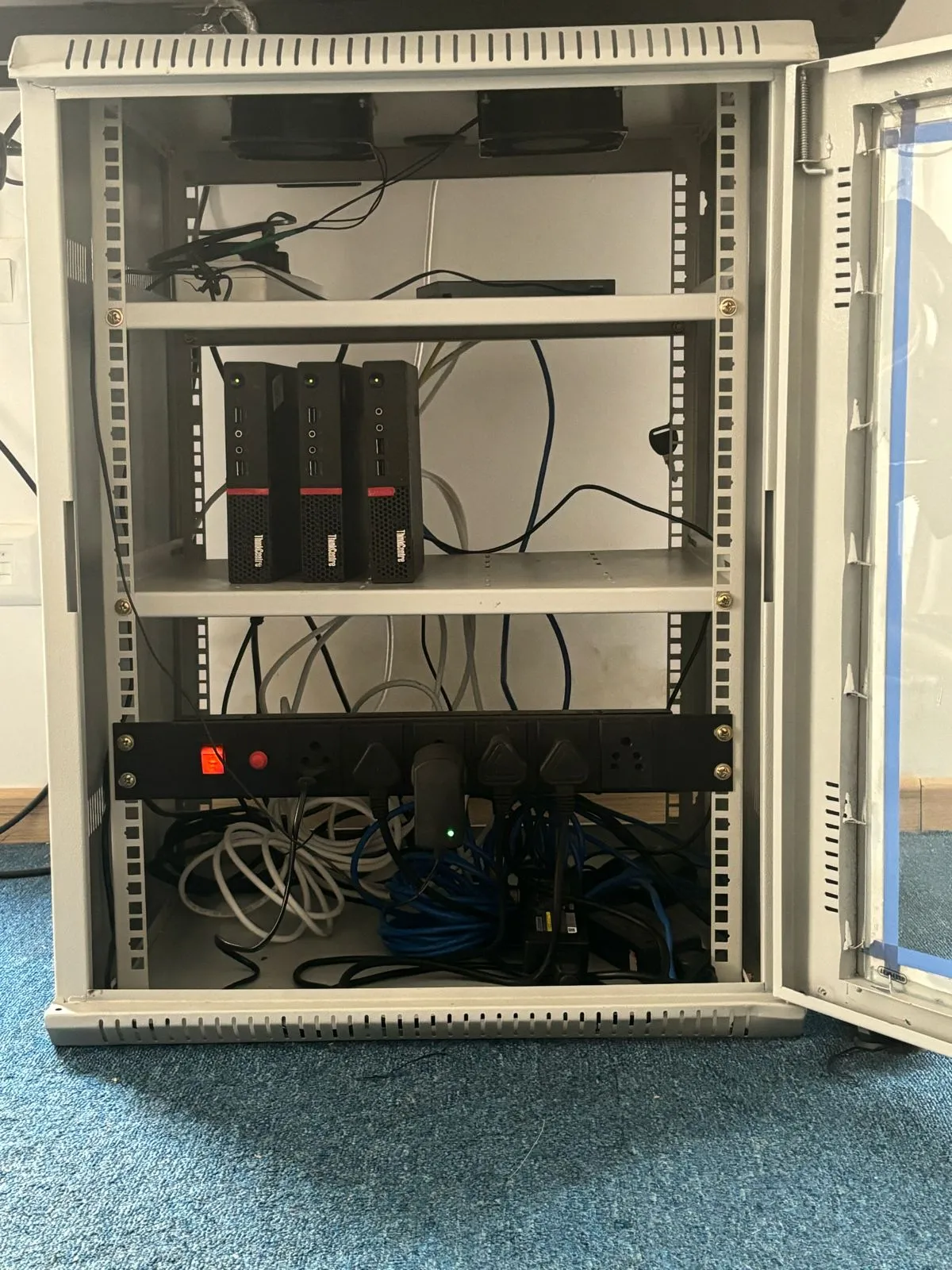
All three nodes run Ubuntu 22.04.4 LTS and are connected over Ethernet to a basic unmanaged TP-Link switch. From there, a single cable connects the switch to my main router. There's nothing fancy about the network hardware, and that's intentional—fewer moving parts means fewer things to break.
Internet Access and Networking
Exposing services from a home network requires a bit of planning. I use a static IP provided by my ISP, which comes at a small additional cost each month. With that in place, I've configured the router to isolate the internal network and only expose what's necessary.
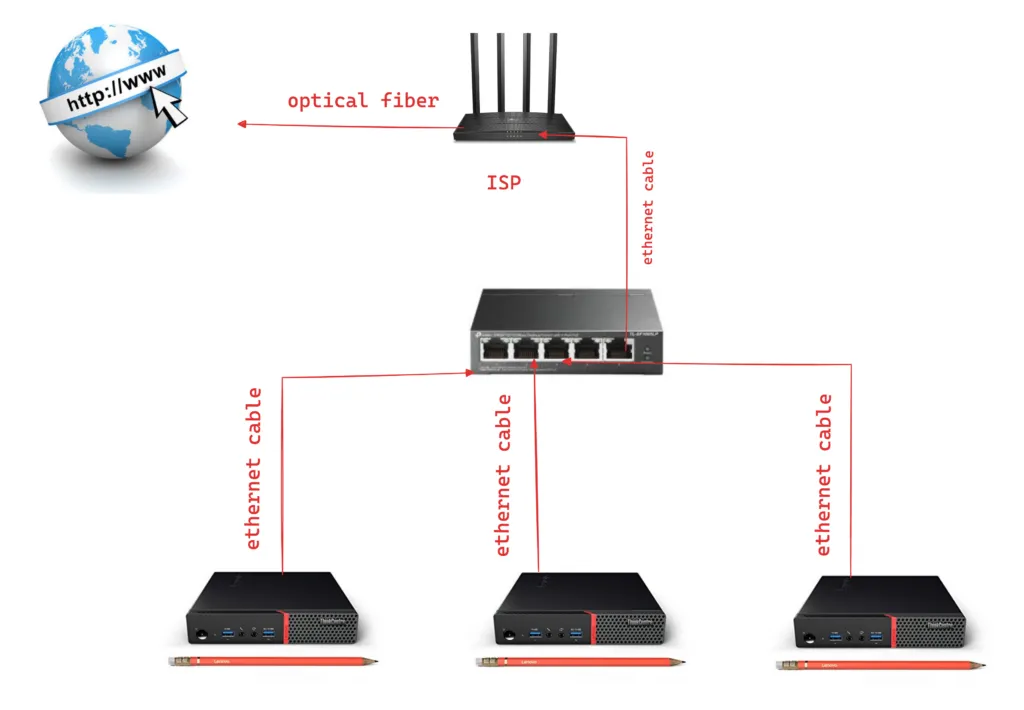
The servers sit behind the router, and specific ports are forwarded depending on what I want to access publicly. If I'm running a web service, I forward a port like 8080 or another custom port to the relevant node. Everything else stays locked down. This setup has worked well and hasn't required much ongoing attention.
Kubernetes at Home
Each machine runs MicroK8s. One node acts as the control plane, while the other two are worker nodes. This cluster hosts my personal website along with several side projects and experiments.
MicroK8s has been a good fit for this environment. It's lightweight, stable, and doesn't demand much babysitting. Once set up, it mostly fades into the background, which is exactly what I want from infrastructure.
Cooling and Power Backup
The servers are mounted in a 15U rack enclosure. The rack has six fans that run continuously to keep temperatures under control. Even under sustained load, the machines stay comfortably within safe thermal limits.
Power is handled by a UPS that can keep everything running for up to twelve hours during an outage. Power cuts aren't rare enough to ignore, and the UPS has already proven its value multiple times.
Managing and Deploying Changes
I use Ansible to manage the cluster. Server updates, configuration changes, and deployments all go through it. Having everything defined in code makes maintenance predictable and reduces the chances of breaking something during routine changes.
Over time, this has saved me a lot of effort, especially when experimenting or rebuilding parts of the setup.
Observability
Each server runs a Site24x7 agent that continuously reports system metrics like CPU usage, memory, disk health, and temperature. Alerts are configured for critical events, so I know immediately if something goes wrong.
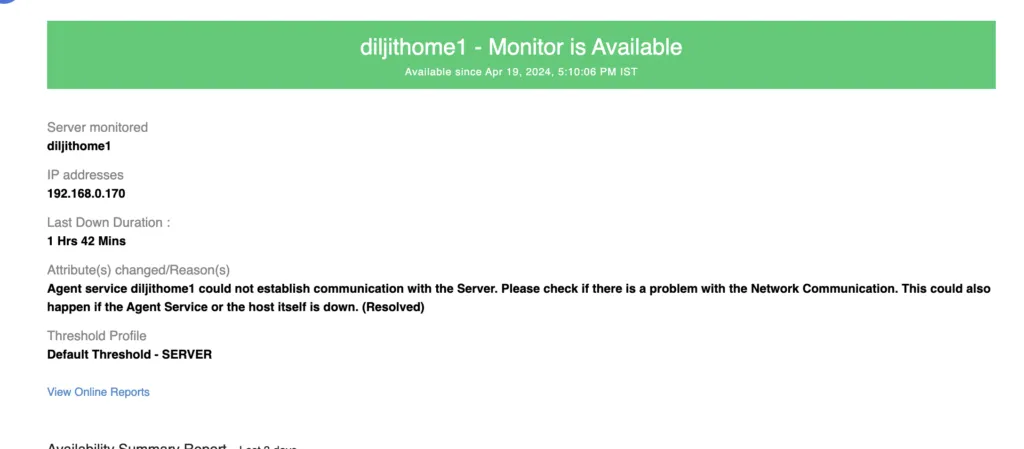
At one point, one of the servers rebooted unexpectedly, and I received an email alert almost instantly. That kind of visibility is reassuring, even for a home lab.
What It Costs
The ongoing cost to run this setup is roughly ₹1000 per month, or about $12. The one-time cost for hardware and initial setup came to around $420.
For me, that trade-off is well worth it. I get full control, no surprise cloud bills, and a platform where I can experiment freely.
Closing Thoughts
Running a small cluster at home has been one of the most satisfying technical projects I've worked on. It's taught me a lot, supports my personal projects, and gives me a safe space to try ideas without worrying about cost or scale.
If you're already running a home lab—or thinking about building one—I'd be happy to talk. Feel free to comment or reach out at [email protected].
Comments
Have thoughts on this post? Join the discussion below! Comments are powered by Disqus.