I've always been curious about how real-time streaming actually works under the hood. Over the years, I've read about protocols like HLS, RTMP, MPEG-DASH, and HDS more times than I can remember—but honestly, none of it really stuck. Mostly because I wasn't doing anything fun with them.
So I decided to build something that would force me to learn by doing.
The idea was simple on paper: an online FM radio player that could stream a local FM broadcast from anywhere in the world. In other words, if I'm sitting in Australia or the US, I should be able to tune into a live FM station broadcasting somewhere in Asia. A real radio, but accessible over the internet.
Sounds interesting, right?
Before going any further, one important disclaimer. Re-transmitting radio frequencies isn't something you can casually do everywhere. It needs to comply with local laws and usually requires permission from the relevant telecommunications authority. That part isn't optional, and ignoring it is a great way to land yourself in trouble. Everything here is purely experimental and educational.
With that out of the way, let's talk about the actual problem.
The Challenge: Analog to Digital
FM radio signals are analog. Your laptop or server is digital. There's no native way for a computer to "hear" FM signals directly. To bridge that gap, you need hardware that can capture radio frequencies and expose them to software in a usable form.
That's where Software Defined Radios (SDRs) come in.
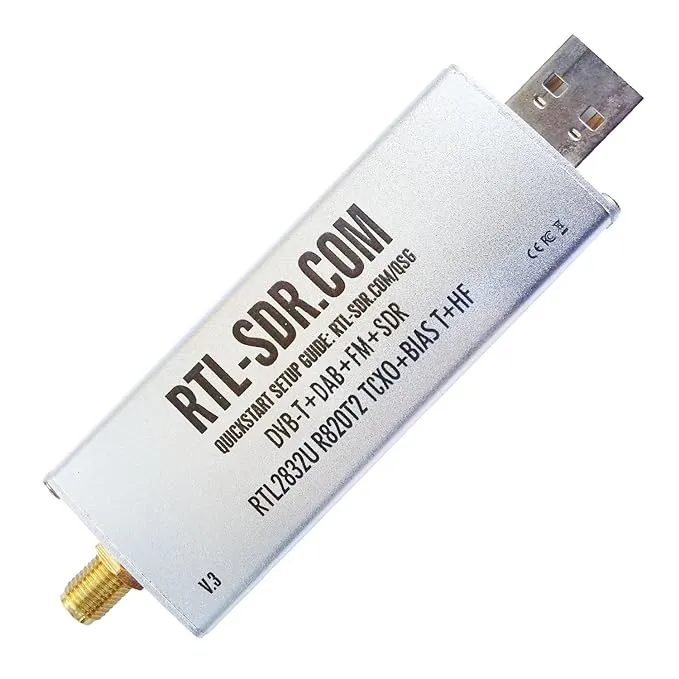
Using a simple USB-based RTL-SDR device, it's possible to capture FM signals, demodulate them in software, and convert them into raw audio data that a computer can process. These devices are cheap, widely available, and incredibly powerful for experimentation.
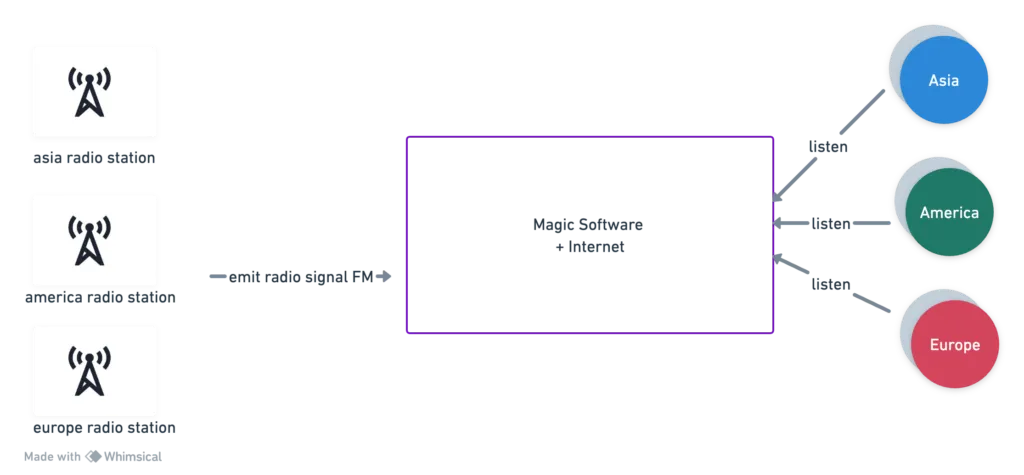
At a high level, the setup looks like this: a local FM station broadcasts a signal, the SDR captures it, software decodes and encodes the audio, and the result is pushed to a streaming server that users can connect to from anywhere.
This isn't a production-grade design. It doesn't address high scalability, fault tolerance, monitoring, or ultra-low latency. But that was never the goal. The goal was to build something end to end and understand how the pieces fit together.
The Architecture
On the machine side, I used a Linux host to run everything. This box is responsible for capturing the FM signal, decoding it, re-encoding it into a streamable format, and pushing it out to a streaming server.
Capturing FM Signals with RTL-SDR
The SDR is handled using standard RTL-SDR tooling. Once plugged in via USB, it can be tuned to a specific FM frequency and instructed to output raw audio data. For example:
rtl_fm -f 100M -M wbfm -s 200k -r 48k -This command tunes into 100 MHz, uses wideband FM demodulation, samples at 200 kHz, and resamples the audio to 48 kHz. The raw audio is written to stdout, which allows it to be piped into another process.
Breaking down the parameters:
-f 100M: Tune to 100 MHz frequency-M wbfm: Use wideband FM demodulation mode-s 200k: Sample rate of 200 kHz-r 48k: Resample audio output to 48 kHz-: Output to stdout for piping
Encoding with FFmpeg
That raw stream on its own isn't very useful on the internet, so the next step is encoding it into something browsers and players understand. This is where FFmpeg comes in.
FFmpeg picks up the raw audio stream, encodes it as MP3, and pushes it to an Icecast server. Icecast acts as the streaming backend, handling listener connections and distributing the audio stream.
The FFmpeg command looks something like this:
ffmpeg -f s16le -ar 48000 -ac 2 -i udp://localhost:8223 \
-c:a libmp3lame -b:a 128k -ar 44100 \
-content_type audio/mpeg -f mp3 -muxdelay 0.1 \
icecast://source:password@icecast_server:port/mountpoint
What's happening here is fairly straightforward. FFmpeg reads raw 16-bit audio, encodes it using the MP3 codec at a reasonable bitrate, and streams it directly into Icecast. Icecast doesn't care how the stream is produced—it just receives encoded audio and makes it available to listeners.
Parameter breakdown:
-f s16le: Input format is signed 16-bit little-endian PCM-ar 48000: Input audio sample rate is 48 kHz-ac 2: Two audio channels (stereo)-i udp://localhost:8223: Read from UDP stream on port 8223-c:a libmp3lame: Use LAME MP3 encoder-b:a 128k: Audio bitrate of 128 kbps-ar 44100: Output sample rate of 44.1 kHz-f mp3: Output format is MP3-muxdelay 0.1: Muxing delay to reduce latency
The Streaming Backend: Icecast
If Icecast feels abstract, it helps to think of it as a stream server. FFmpeg is the producer, Icecast is the distributor, and listeners connect to Icecast to consume the stream.
Icecast uses the concept of mount points to distinguish streams. Each mount point represents a separate channel. This allows you to host multiple streams on the same server, each accessible via its own URL path.
The Client Side
Once Icecast is running and the stream is being published, the client side is refreshingly simple. A basic HTML page with an <audio> tag is enough to play the stream in any modern browser:
<!DOCTYPE html>
<html>
<head>
    <title>Icecast Audio Stream</title>
</head>
<body>
    <h1>Icecast Audio Stream</h1>
    <audio controls>
        <source src="http://icecast_server:port/mountpoint" type="audio/mpeg">
        Your browser does not support the audio element.
    </audio>
</body>
</html>
That's it. Open the page, hit play, and you're listening to a live FM broadcast over the internet—originating from a completely different part of the world.
Putting It All Together
At this point, all the pieces are connected: the radio signal, the SDR, FFmpeg, Icecast, and a simple web UI. The result isn't flashy, but it works, and that's the fun part.
Here's the complete pipeline flow:
- FM Broadcast: Radio station transmits analog signal
- RTL-SDR Capture: USB SDR device captures and demodulates the signal
- Raw Audio: SDR outputs raw PCM audio data
- FFmpeg Encoding: Audio is encoded to MP3 format
- Icecast Streaming: Encoded stream is pushed to Icecast server
- Client Playback: Browser connects to Icecast and plays the stream
Future Considerations
Naturally, this opens up a lot of interesting questions. How would this scale to thousands or millions of listeners? What happens when the machine fails or the power goes out? How would you reduce latency further? Where would monitoring fit in? And how would you push streams closer to users using CDNs?
Those are all problems worth thinking about, and maybe solving, another day.
Closing Thoughts
If this kind of tinkering interests you—or if you've built something similar—I'd love to hear about it. Feel free to start a conversation in the comments or drop me an email at diljit@diljitpr.net.
Engineering really is more fun when you build things just because you're curious.
~ Comments & Discussion ~
Have thoughts on this post? Join the discussion below! Comments are powered by Disqus.